
SEO Audit Report Template: Build a Free Report Online (With Example)
Get a copy-ready SEO audit report template, a free online workflow, a worked example and typical audit costs. Build a clear report in about 90 minutes.
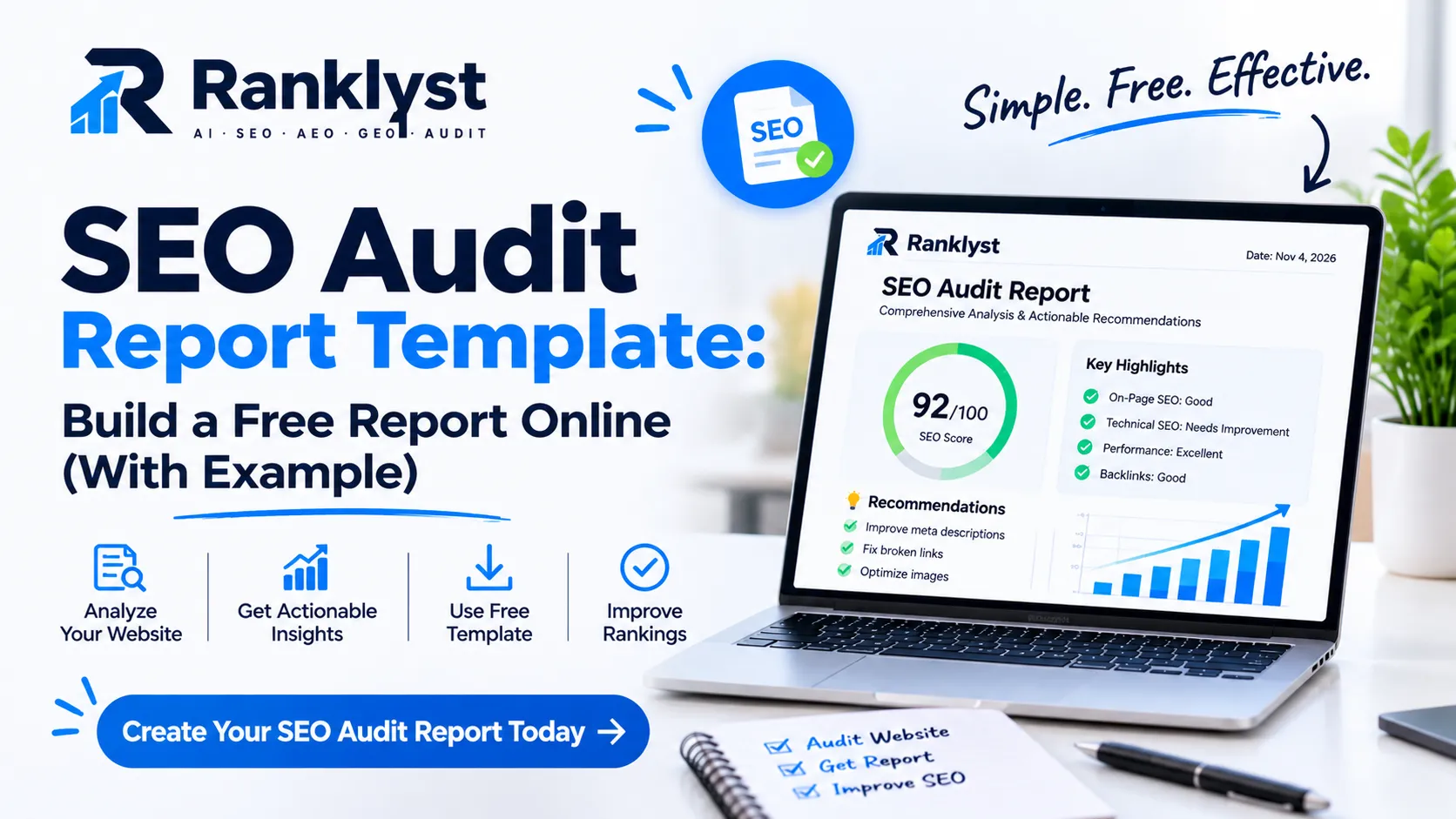
An SEO audit report template gives you a fixed structure for recording what is wrong with a website, why it matters and what to fix first. You can build a complete SEO audit report online for free in about 90 minutes using Google’s own tools and a few free crawlers. This guide gives you the template, a free workflow, a worked example and a plain look at what audits cost.
Most pages on this topic hand you a blank file and stop. A blank file does not tell you how to judge a finding, which issues to ignore or how to explain results to a boss or client. We cover those parts too.
Quick answer
What it is: An SEO audit report is a written record of your site’s search problems, ranked by importance, with a fix for each.
What it needs: Nine sections: summary, scope, technical health, indexing, on-page, content, links, local and AI readiness, and an action plan.
What it costs: Free if you do it yourself. Hired audits for small and mid-size sites usually fall between about $500 and $5,000, depending on size and depth.
How long it takes: About 90 minutes for a small site with the workflow below.
What is an SEO audit report?
An SEO audit report is the document that comes out of an SEO audit. The audit is the checking. The report is the record of what you found, how serious each issue is and what to do next. Without the report, an audit is only a pile of tool screens.
A good report does three jobs:
It diagnoses. It shows what blocks crawling, indexing, ranking and conversions.
It prioritizes. It tells a busy person which five fixes to do first.
It tracks. It gives you a baseline, so the next audit shows whether things improved.
SEO audit scan vs audit vs report
People use these words as if they mean the same thing. They do not, and the difference affects what you should expect.
Term | What it is | What you get |
|---|---|---|
SEO audit scan | An automated check run by software in minutes | A list of detected issues, often with a score. Little context. |
SEO audit | A scan plus human review of your pages, goals and competitors | Findings that reflect your business, not only code errors |
SEO audit report | The written output of the audit | Summary, ranked findings, fixes, owners and deadlines |
A free SEO online audit tool does the scan. You still need to do the judging and write the report. The template below makes that part fast.
SEO audit report template (copy-ready)
Copy this free SEO report template into a document or spreadsheet, for your own site or a client’s. Each section lists what to include and where to find the data for free.
Section | What to include | Free data source |
|---|---|---|
1. Executive summary | Three to five lines: overall state, top three issues, expected effect of fixing them | Written last, after the findings |
2. Scope and goals | URL, date, pages checked, business goal (calls, sales, leads) and main markets | Your own notes |
3. Technical health | Status codes, redirects, broken links, HTTPS, mobile layout, Core Web Vitals | Screaming Frog free, PageSpeed Insights |
4. Crawling and indexing | Pages indexed vs expected, robots.txt, sitemap, noindex and canonical problems | Google Search Console, Bing Webmaster Tools |
5. On-page SEO | Titles, meta descriptions, headings, internal links, image alt text on key pages | Screaming Frog free, manual page review |
6. Content quality | Match to search intent, thin or duplicate pages, outdated facts, missing author or business details | Search Console queries, manual review |
7. Links and authority | Referring domains, risky links, broken inbound links | Ahrefs Webmaster Tools, Search Console links report |
8. Local and AI readiness | Business Profile accuracy, structured data, AI crawler access, brand mentions in AI answers | Business Profile, schema checker, AI crawler checker |
9. Action plan | Ranked fix list with owner, effort and deadline | Your findings table |
The finding card
Write every issue in the same format. This keeps the report short and easy to act on.
Field | What to write |
|---|---|
Issue | One plain sentence, such as “The emergency plumbing page has a noindex tag.” |
Evidence | The tool, the page and the exact signal that proves it |
Why it matters | One line on the effect on crawling, ranking or leads |
Fix | The exact change to make |
Severity | Critical, High, Medium or Low (defined below) |
Effort and owner | Hours needed and who does it |
Status | Open, in progress or done, with a date |
Severity levels
Level | What it means | Fix within |
|---|---|---|
Critical | Blocks crawling, indexing or conversions on an important page | A few days |
High | Hurts many pages or one key money page | 2 to 4 weeks |
Medium | Weakens quality or wastes crawl effort | 1 to 2 months |
Low | Small polish with little measurable effect | Batch later |
How to create an SEO audit report online for free (90-minute workflow)
You do not need paid software to produce a useful report on a small site. Many free SEO tools already cover the main checks, and the steps below use only free ones. If you run a small company and want help choosing paid options later, read our guide to the best SEO tools for small businesses.
Free SEO audit software and what each tool covers
Tool | Covers | Limit to know |
|---|---|---|
Indexing, queries, clicks, sitemap and page experience data | Only for sites you verify | |
Speed and Core Web Vitals for one URL | One page at a time | |
Screaming Frog SEO Spider (free) | Site crawl: status codes, titles, headings, links | Free version crawls up to 500 URLs |
Bing Webmaster Tools | Second view of crawling and indexing | Smaller search share |
Ahrefs Webmaster Tools | Site audit and backlinks for sites you verify | Only your own sites |
Ranklyst schema checker | Structured data on a page | Checks markup, not content quality |
Ranklyst AI crawler checker | Whether AI crawlers can reach your pages | Shows access, not whether you will be cited |
Steps
Set your scope (5 minutes). Write the site URL, the date, your business goal and your five most important pages.
Check indexing (15 minutes). Open the page indexing report in Search Console. Compare the pages you want indexed with the pages Google reports as excluded, and note the reason for each.
Crawl the site (15 minutes). Run Screaming Frog. Export broken links, redirect chains, missing or duplicate titles and pages without an H1.
Test speed on key pages (15 minutes). Run each of your five pages through PageSpeed Insights. Look at real-user data first and note what limits Largest Contentful Paint, Interaction to Next Paint and layout shift. Google explains these metrics in its Core Web Vitals guide.
Review on-page and content quality (20 minutes). For each key page, ask: does it answer the search query better than the pages above it? Is the title clear? Are business details and an author shown?
Check structured data and AI access (10 minutes). Test your key pages with the schema markup checker and confirm that AI crawlers can reach them with the AI crawler checker.
Write findings and plan (10 minutes). Fill in a finding card for each issue, rank them by severity and write the executive summary last.
If you prefer a single automated starting point, a low-cost Ranklyst SEO audit scans one page for SEO signals and gives you a list to paste into your report. It is a paid product (about $2 at the time of writing; confirm on the audit page). The free workflow above works without it.
Common mistake: Pasting tool exports straight into the report. A 40-page export is not a report. If a finding does not have a fix and an owner, it does not belong in the document.
SEO audit report example (worked, illustrative)
Here is a short example so you can see the template in use. The site and numbers are made up to show the format. They are not real measurements.
Site: A 25-page local plumbing website. Goal: More calls from people searching for a plumber in one city.
Executive summary (example)
The site loads and is crawlable, but one key page is hidden from search, the home page is slow on phones and most service pages share weak titles. Fixing the top three issues should help the site appear for more local searches. We rate overall health as fair.
Findings table (example)
# | Severity | Issue and evidence | Fix | Effort | Owner |
|---|---|---|---|---|---|
1 | Critical | The emergency plumbing page has a noindex tag left from staging. Search Console lists it as excluded. | Remove the tag, then request indexing | 1 hour | Developer |
2 | High | The home page loads slowly on mobile. PageSpeed Insights points to a 2.4 MB hero image. | Resize and compress to WebP | 2 hours | Designer |
3 | High | Fourteen service pages use the same title pattern with no city name. | Rewrite titles as service plus city | 3 hours | Owner |
4 | Medium | Nine internal links point to a URL that redirects. | Update links to the final URL | 1 hour | Developer |
5 | Medium | No local business structured data on the contact page. | Add and test the markup | 1 hour | Developer |
6 | Medium | A security rule blocks several AI crawlers by default. | Allow the crawlers you want and re-test | 1 hour | Developer |
7 | Low | Twenty-two blog images lack alt text. | Add short descriptions | 2 hours | Owner |
What the owner does first
Fix item 1 today, because it blocks a money page. Fix items 2 and 3 this month. Batch items 4 to 7 into a second month. Re-run the audit after 30 days and compare indexed pages, mobile speed and clicks from Search Console.
How to read your SEO audit results
Tools list problems without telling you which ones matter. Use these rules to sort real issues from noise.
Ask three questions about every finding
Does this affect a page that earns or should earn money?
Can Google, a visitor or an AI crawler reach or understand that page because of it?
Will fixing it take less than an hour?
Two or three yes answers mean the item goes near the top.
Warnings you can often ignore
Missing meta descriptions on utility pages. Cart, login and thank-you pages do not need them.
Orphan thank-you pages. They should not have internal links.
A high count of “low text” pages. Check whether the pages serve a clear purpose before you rewrite them.
A perfect score target. A score of 100 does not guarantee rankings. Fix what blocks users first.
Warnings you should not ignore
Important pages marked noindex or blocked in robots.txt.
Server errors or long redirect chains on service pages.
Key pages missing from your sitemap or showing as “Discovered, currently not indexed.”
Contact forms or checkout pages that fail on mobile.
Duplicate pages competing for the same query.
What to check in each area of the audit
Use this compact checklist while you work through the template.
Technical and indexing
Every important page returns a 200 status and appears in your sitemap.
robots.txt does not block pages or resources you want crawled.
Each page has one clear canonical URL.
Mobile pages show the same main content as desktop pages.
On-page and content
Each key page targets one clear topic and has a unique title and one H1.
The page answers the main question near the top.
Pages show who wrote or runs the site, how to contact the business and when the content was updated.
Important pages link to each other with descriptive anchor text.
Google’s own guidance on helpful, people-first content makes a good self-test for this part.
Links and authority
Your best pages earn links from relevant, real sites.
No paid or spammy link patterns point to your site.
Inbound links to deleted pages are redirected to the closest match.
Local and AI readiness
Business name, address and phone match across your site and listings.
Structured data matches visible content. Google explains the basics in its structured data introduction.
AI crawlers you want are not blocked.
Key pages open with a clear, quotable answer so assistants can reuse them.
Search is no longer only a list of links. Assistants now answer questions directly, so a modern report should check this layer too. Our guides to an AEO audit and a GEO audit explain what to measure, and the AI mention checker shows how assistants describe your brand today. No tool can promise a mention in an AI answer. Clear pages and accurate details improve your chances.
SEO audit cost: what you pay in 2026
SEO audit cost depends on site size, depth of review, who does the work and how fast you need it. Pricing guides disagree, so we show rounded bands from several guides we reviewed in November 2026. Treat them as ranges, not quotes.
Option | Typical cost | Best for | Watch out for |
|---|---|---|---|
Free automated scan | $0 | A quick first look | Surface checks and little context |
DIY with free tools and this template | $0 plus 2 to 4 hours | Owners of small sites | You must judge the findings yourself |
Low-cost paid scan or one month of a tool | About $0 to $150 | A deeper crawl once | Tool output is not a report |
Freelancer audit | About $500 to $2,500 | Small and mid-size sites | Ask what is delivered |
Agency audit | About $2,500 to $5,000+ | Complex or competitive sites | Scope creep and sales pitches |
Large site audit | $10,000 or more | Thousands of pages | Rarely needed by small businesses |
What drives the price
Number of pages and templates.
How deep the review goes: technical only, or content, links and local too.
Whether you get a prioritized plan or only a data export.
Turnaround time. Fast delivery usually costs extra.
Whether the provider also fixes the problems.
Six questions to ask before you hire someone
Can I see a sample report with client details removed?
Which pages and tools will you review?
Will I get prioritized fixes or a PDF of tool output?
Who does the work, and who answers my questions?
How do you cover AI search and local search?
What happens after the audit: is implementation included, extra or my job?
Red flags: Promises of a number one ranking, a price far below the market with no sample, or a “free audit” that is only a sales pitch for a retainer.
Should you do it yourself?
Do it yourself if your site has under about 50 pages and you can spare a few hours. Hire help if you run a large catalog, you saw a sudden traffic drop you cannot explain, or you lack time to fix what you find. Many owners do the DIY audit first, then hire help only for the hard items. That lowers the bill and gives the expert a better brief.
How to present your SEO audit report
Busy readers need the point in one page. Use this order:
Open with a three-line executive summary.
Show the top three findings with evidence, not all fifty.
Add a table with fix, owner, effort and date.
End with the next checkpoint, such as a re-audit in 30 days.
Put the full findings list in an appendix. Link to the page indexing report or crawl export for anyone who wants proof.
Mistakes people make with SEO audit reports
Fixing by tool score. A score is a summary, not a goal.
Auditing every page equally. Spend most of your time on the pages that earn leads.
Skipping the baseline. Record clicks, indexed pages and speed before you change anything, or you cannot show progress.
Delivering problems without fixes. Every finding needs an action.
Treating the audit as one-time. Sites change. Re-check key pages every quarter, and after every redesign or migration.
Ignoring AI and local layers. Many templates stop at classic technical checks.
After the audit: a 30-day plan
Week 1: Fix all critical issues and request indexing for affected pages.
Week 2: Fix high-severity speed and title problems on your five key pages.
Week 3: Add or repair structured data and review AI crawler access.
Week 4: Re-run the checks, compare against your baseline and update the status column.
Conclusion
A good SEO audit report template turns scattered tool output into a short, ranked plan. Use the nine sections above, write every finding as a card, fix critical items first and re-check in 30 days. You can do all of this for free on a small site.
Next, explore the best free SEO tools online to fill in each section, or run a full SEO audit with Ranklyst for a quick automated baseline. More practical guides are on the Ranklyst blogs.
Disclosure: Ranklyst sells a low-cost paid audit and lists it where it fits. The workflow in this guide works without it. Cost figures come from several public pricing guides, and prices change, so confirm current terms before you buy.
Frequently asked questions
Q: What is an SEO audit report?
It is a written record of a website’s search problems, ranked by importance, with a fix for each one. It turns audit data into an action plan.
Q: Can I get an SEO audit report online for free?
Yes. Google Search Console, PageSpeed Insights, the free version of Screaming Frog and Ahrefs Webmaster Tools give you the data. Use a template like the one above to turn that data into a report.
Q: What should an SEO audit report include?
At minimum: an executive summary, scope, technical health, indexing, on-page checks, content review, links, local and AI readiness, and a ranked action plan.
Q: How long does an SEO audit take?
A small site can take about 90 minutes with free tools. Professional audits of larger sites often take days or weeks.
Q: How much does an SEO audit cost?
It can be free if you do it yourself. Hired audits for small and mid-size sites commonly fall between about $500 and $5,000, and large sites cost more.
Q: What is the best free SEO audit software?
Start with Search Console and PageSpeed Insights, then add Screaming Frog free and Ahrefs Webmaster Tools. Each covers a different part of the audit.
Q: How often should I run an SEO audit?
Run a light check monthly, a full audit every quarter and an extra one after any redesign, migration or sudden traffic drop.
Q: What do SEO audit results tell me?
They show where your site loses visibility or visitors. Read them by severity and by page value, not by raw issue count.